Amazon Audible
I transformed how Audible teams moved from insight to execution. By reshaping the research-to-design workflow and championing a design thinking mindset across the organisation, I reduced our decision cycle from six months to one. This shift empowered our designers to anchor every decision in real user behaviour—faster, sharper, and with far more alignment.
Audible Content Discovery
Audible is an audiobook product by Amazon, with over 350,000 titles of premium audiobooks and spoken word content. It is the largest audiobook producer and retailer in the United States, providing high quality and a large variety of books to millions of users around the world.
After observing the data and customer voice of existing product over a period of time, we identified opportunities/product gaps, then I started having conversations with the business stakeholders and subject matter experts to formulate a project plan.
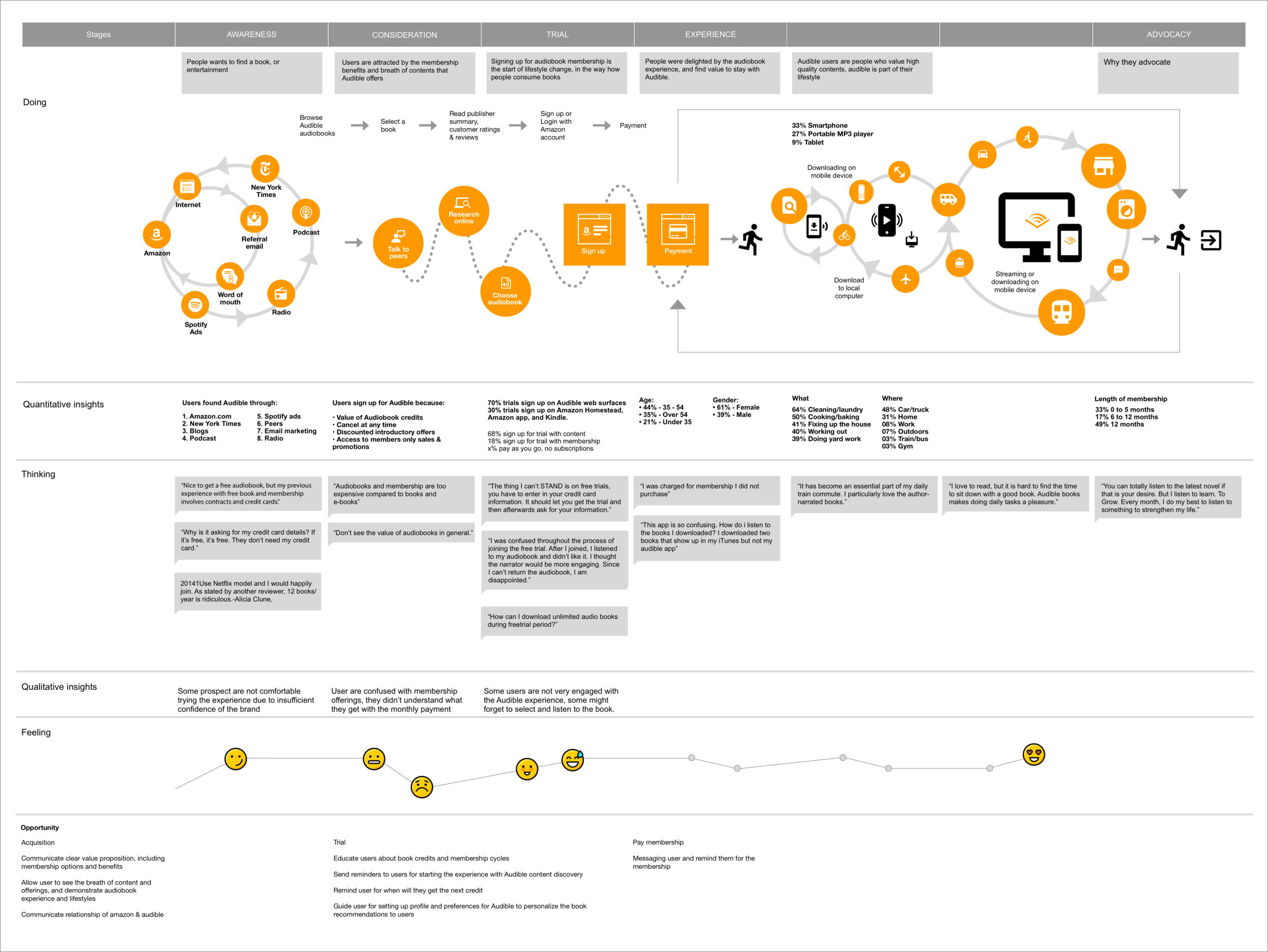
The customer journey map was to communicate to stakeholders and project team members for what we observed throughout the research process, what worked well and didn't work well, as well as how customers respond to what we offered to them.
Problem statement
Data showed that a significant amount of the prospect users couldn’t find content that interest them and left the site. User couldn’t find what they want from our website, after users arrived audible.com from search engine or amazon.com.
With user research and interviews, we also found that our existing users didn’t understand how did the membership work, and don't know that they can enjoy lots of the benefits that Audible offers. 85% of the new members forgot about the free trial end date, some didn’t know how to choose and setup audiobooks on their devices, 1/3 of new members did not actually started the audible experience before they decided to cancel.
Audible's customer touch points
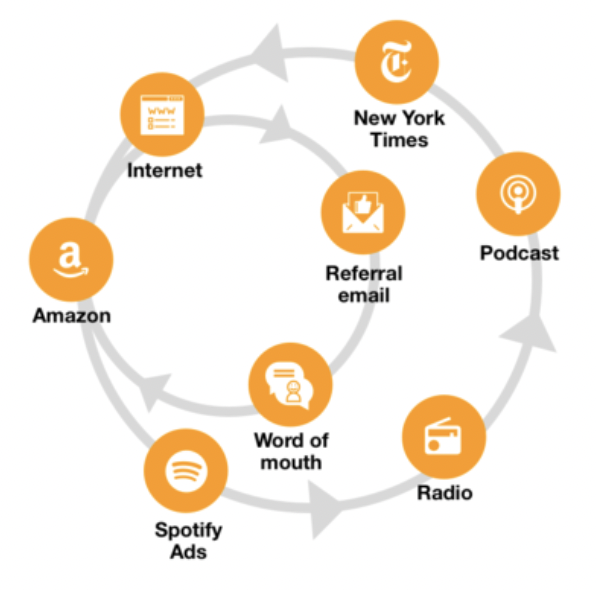
I conducted a holistic research for all Audible touch points, to see how user interact with the product from awareness to experiencing audiobooks to advocacy or leaving the experience. Both qualitative and quantitative research was conducted, including
Data Analysis
User Interviews
Field Observations
A/B testing
Customer Care Shadowing
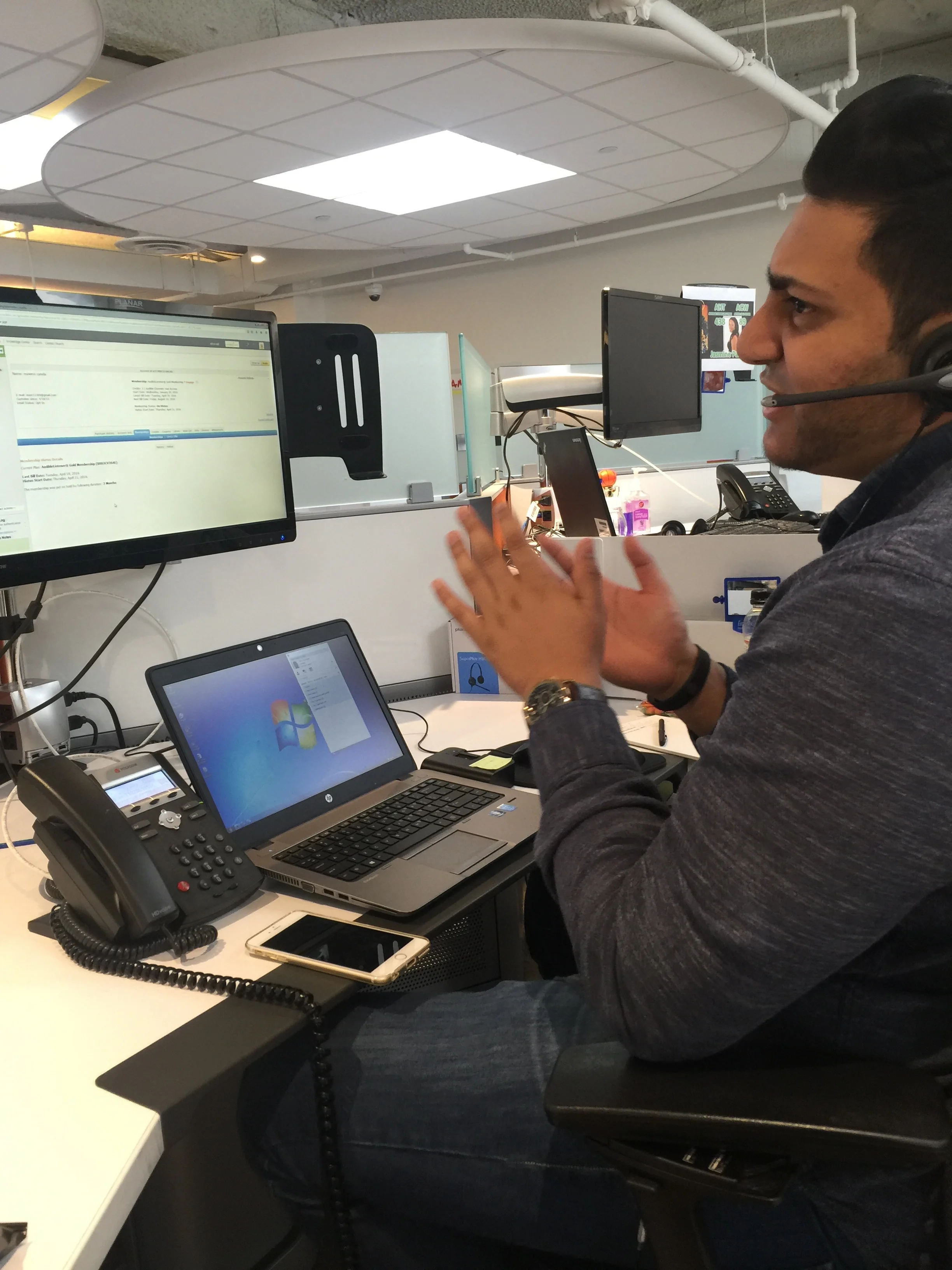
Customer care shadowing
Apart from analysing the data insight we got from Audible’s A/B testing environment, I scheduled a shadowing session at Audible Customer Care centre, listen to conversations between Audible users and our staffs, to better understand their pain points and problems they experience using the product, as well as knowing what customers need help with.
User Testing
Apart from bringing our designs to the A/B testing environment, observing mass users' response in a large scale, I felt the need to learn more contextual insights around users through face to face conversations.
Enhanced user engagement metrics
Reduced book discovery friction points
Streamlined book information access
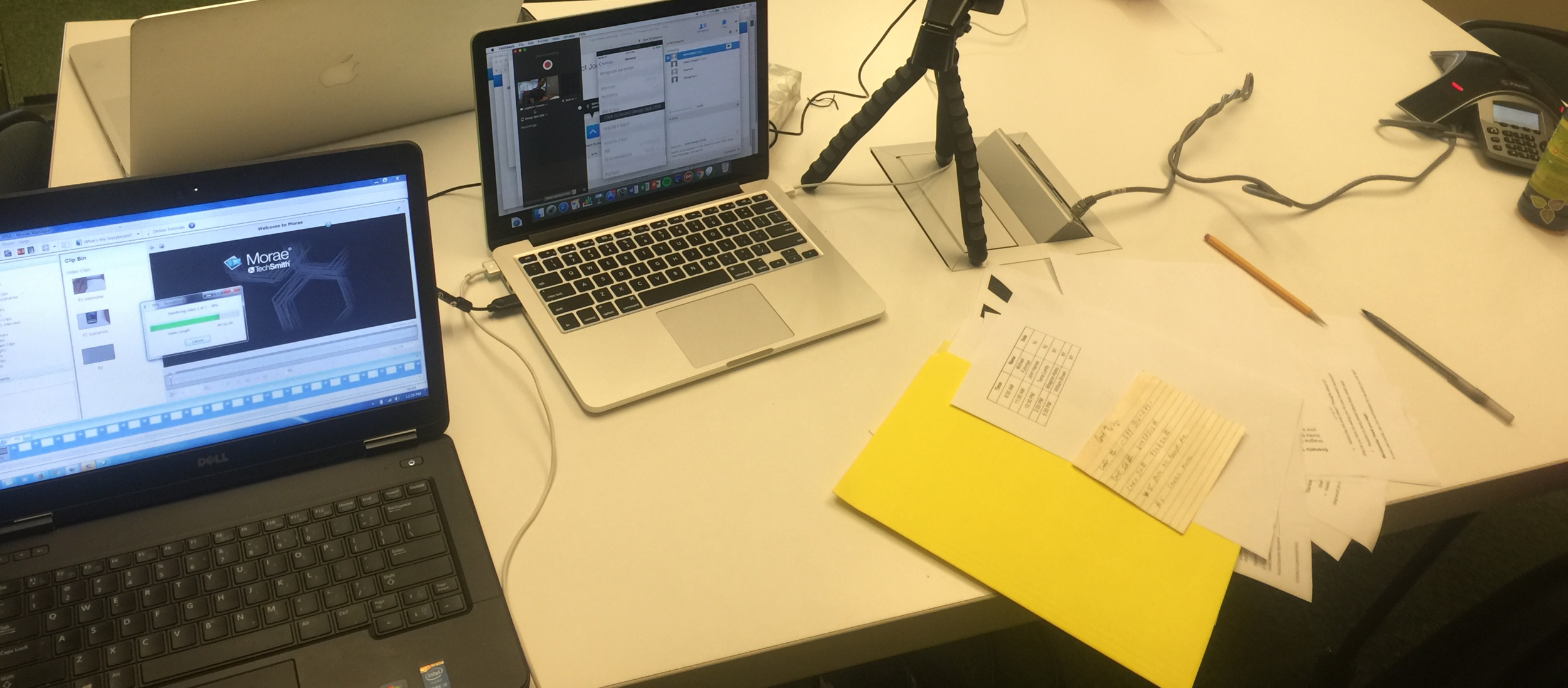
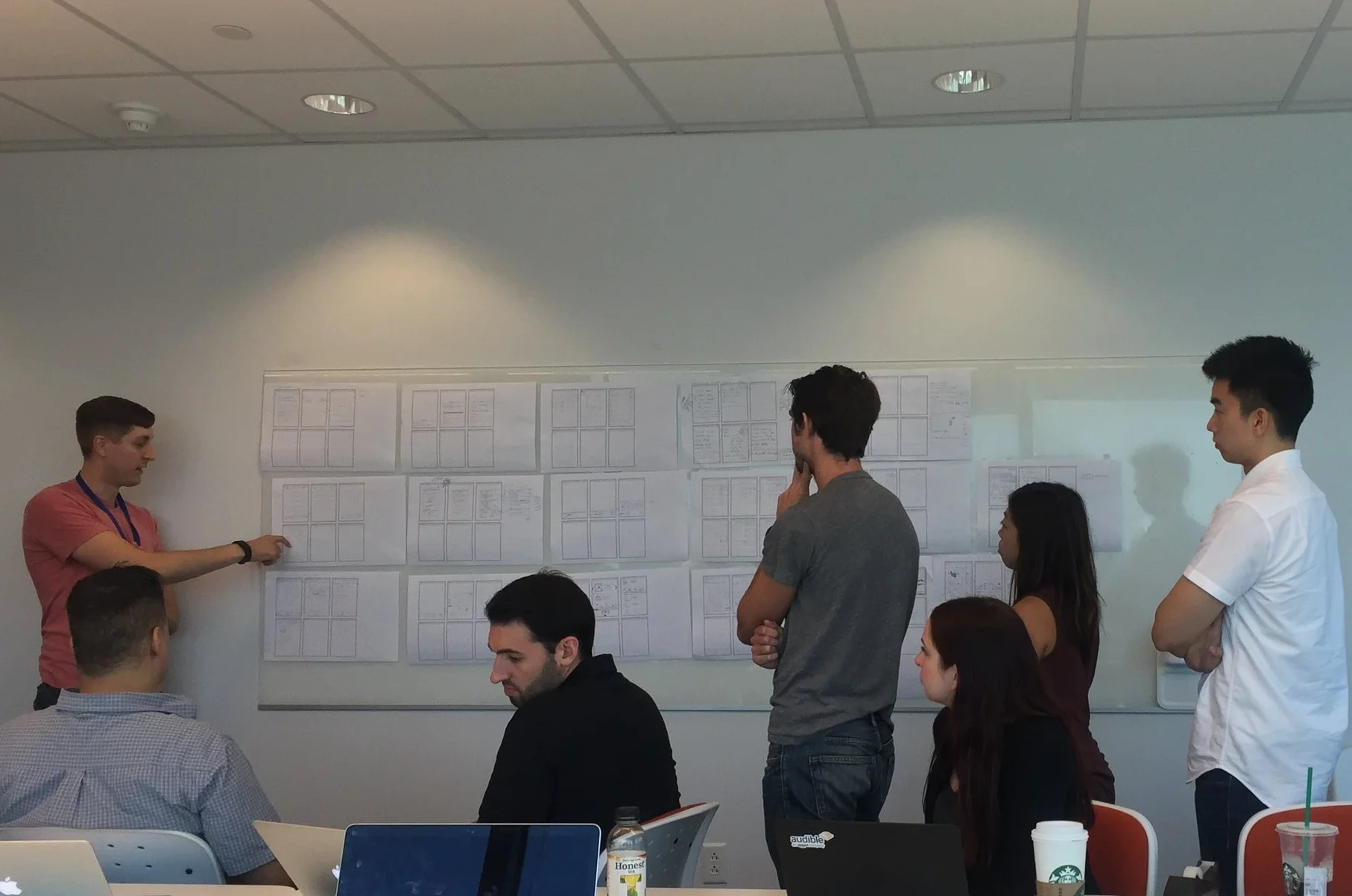
Crossed-team Collaborations
Users’ needs varies depending on the devices and platform they are using, and these service touch points construct the entire customer experience, I collaborate with designers and product managers who works on different platform, to share the insights we found, decisions made for different use cases, and update on each other about the design and interaction patterns, so that the experience will be consistent across devices and platform.
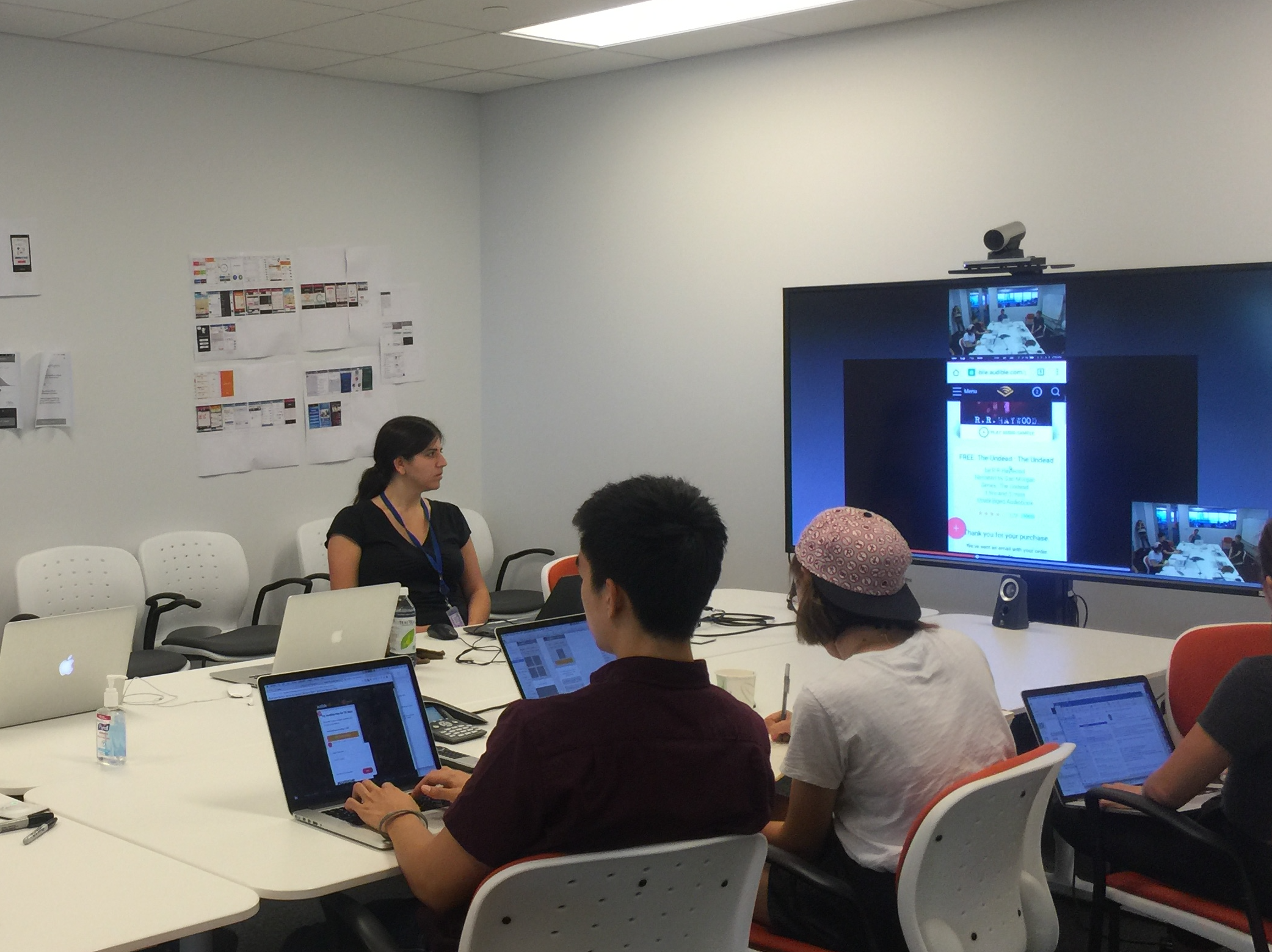
User interviews
& testings
I led and worked with the researcher to come up with the testing strategy to learn more about how users perceived the existing content discovery flow (homepage > search & browse > collection > product detail page), and recruited users that had no prior experience with Audible. This would give us first-hand experience of how customers expect to connect with content, and potentially a fresh take on opportunities within the acquisition and content discovery phases of the journey.
Clarity
Helping Audible work faster, listen closer, and design with more clarity.
During my time at Audible, I focused on improving how our teams moved from research to design. By introducing a more collaborative design thinking approach, we gradually shifted from a six-month decision cycle to about one month. This wasn’t a dramatic overnight change—it came from aligning designers, researchers, and stakeholders around shared insights and clearer problem framing.
I also supported the global re-launch of Audible.com, working on the end-to-end journey from discovery to forming a sustainable listening habit. The goal was simple: make it easier for people to find stories they love and enjoy them more often.In the first quarter after the launch, we saw engagement grow by 27%. I see this not as a personal achievement, but as a reflection of what a focused, cross-functional team can do when we make space for learning, iteration, and user understanding.
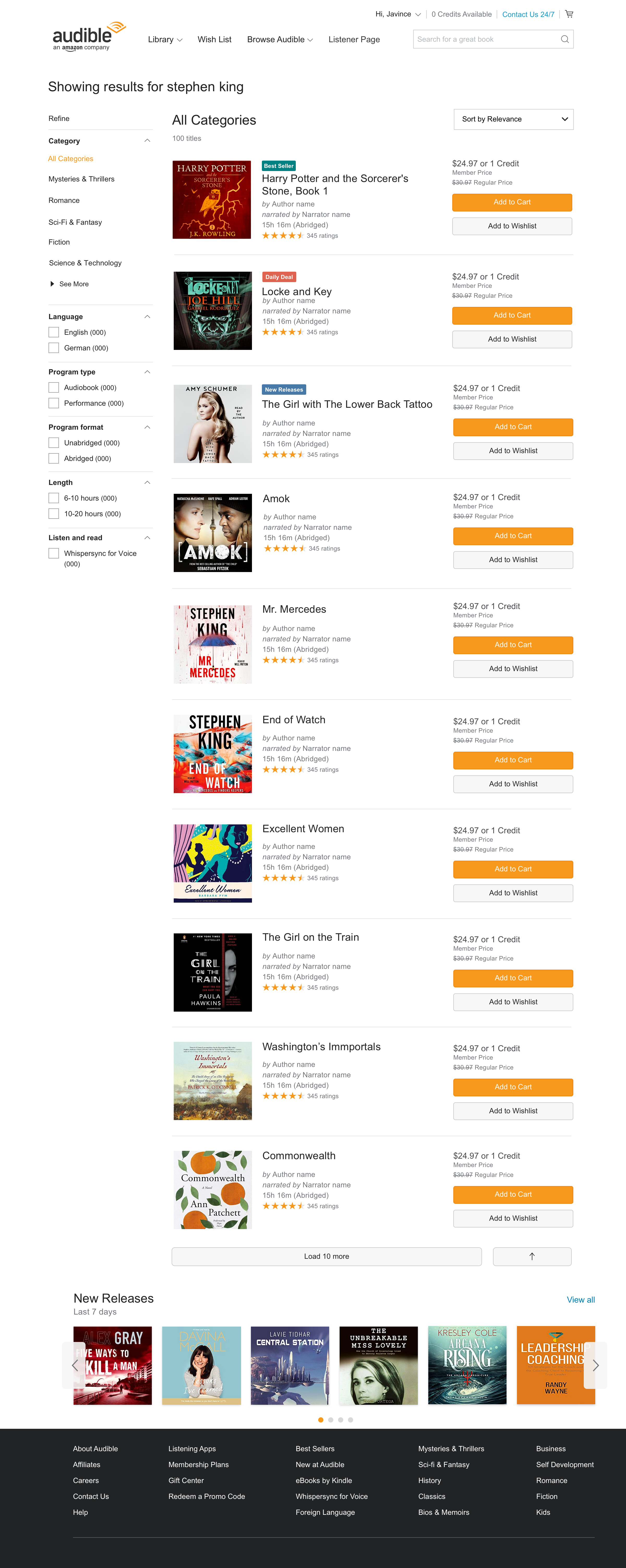
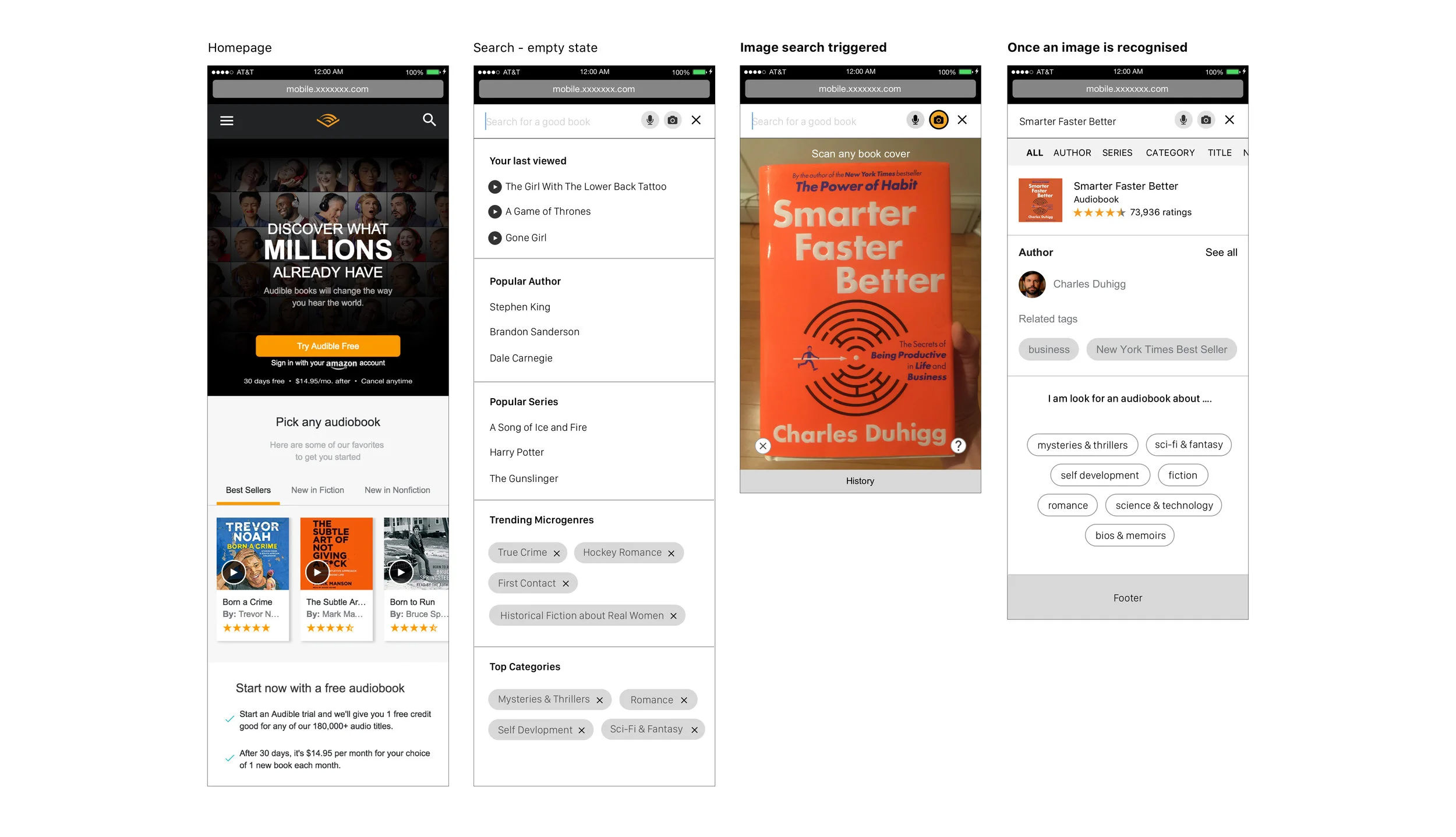
The new “Search” experience
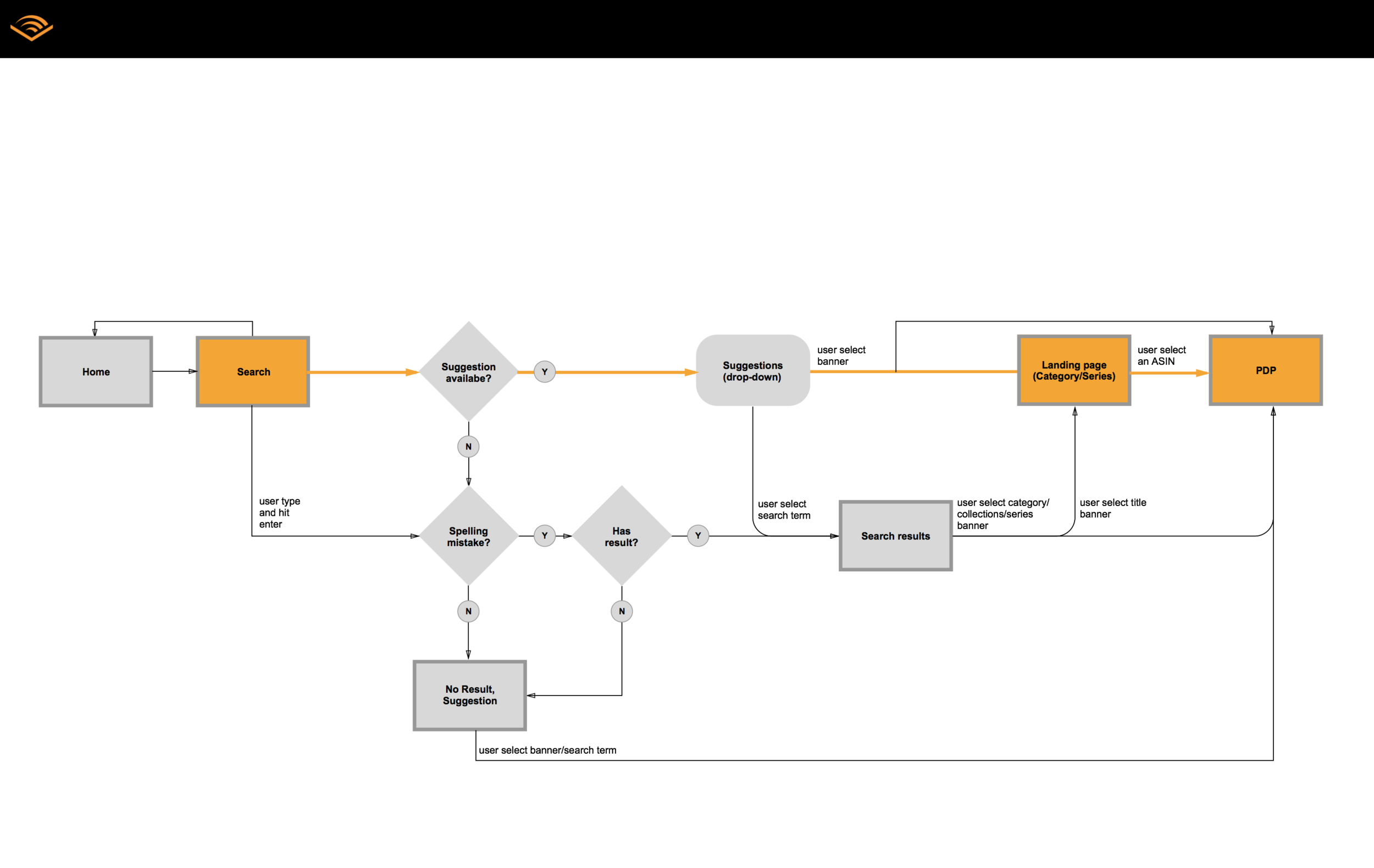
User flow
A user flow is created to communicate to team members from development, product, marketing and design, for us to understand the new user interaction flow, for the team to understand high level benefit and effort for the new experience.
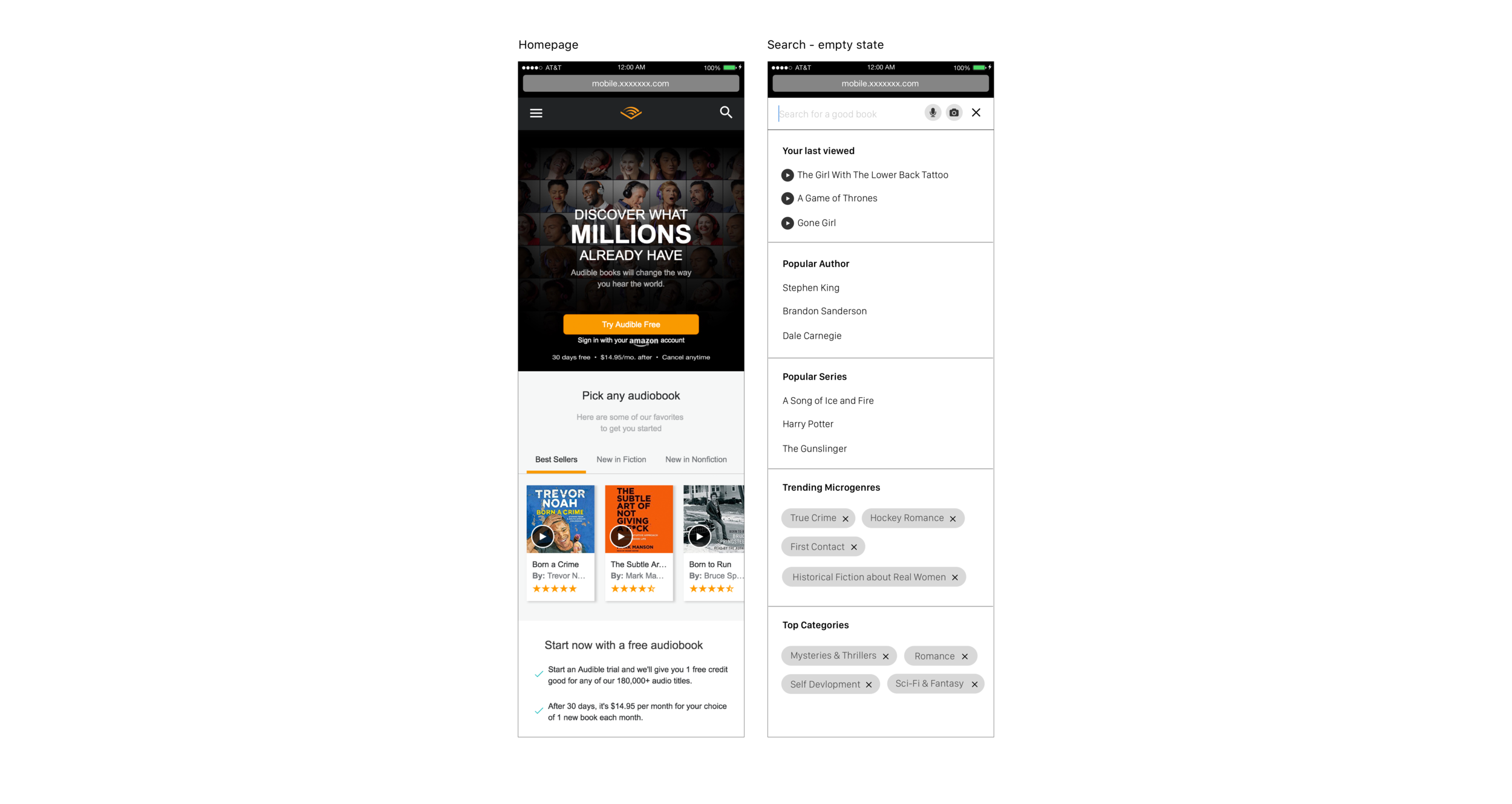
Empty State
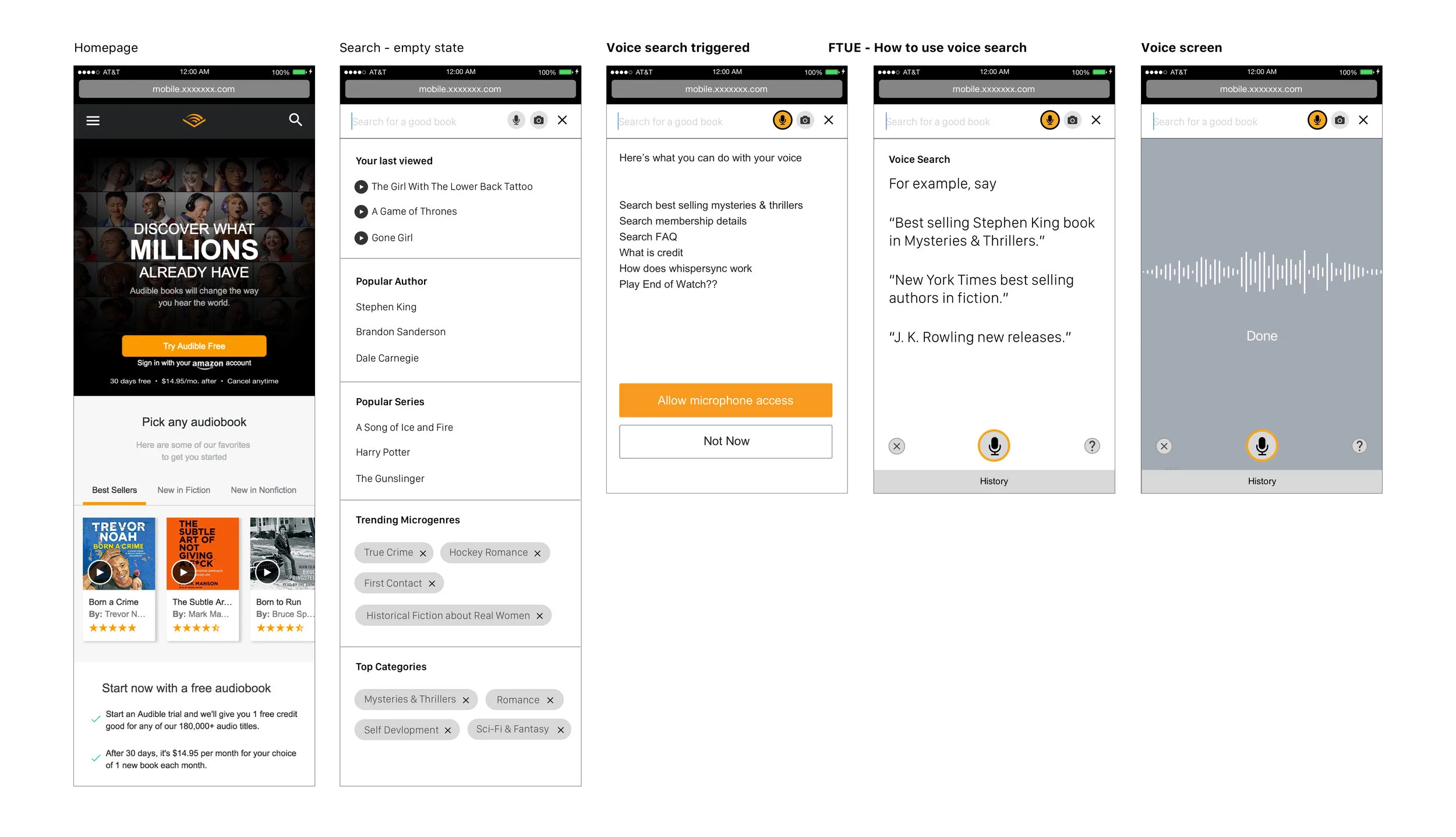
I introduced a search suggestion in the "empty state" of Audible's "Search module", to help user find the books that they were looking for.
Why?
Data analytics had showed that the top 150 search queries were book series and author, I designed the empty state so Audible can making suggestions based on the the top search queries we received from data analytics. Before user start searching, they can see the "last viewed" pages, the most searched queries and top performing pages, these components were to make the popular contents more accessible and assist users to get to the list of content that they are looking for.
.webp)
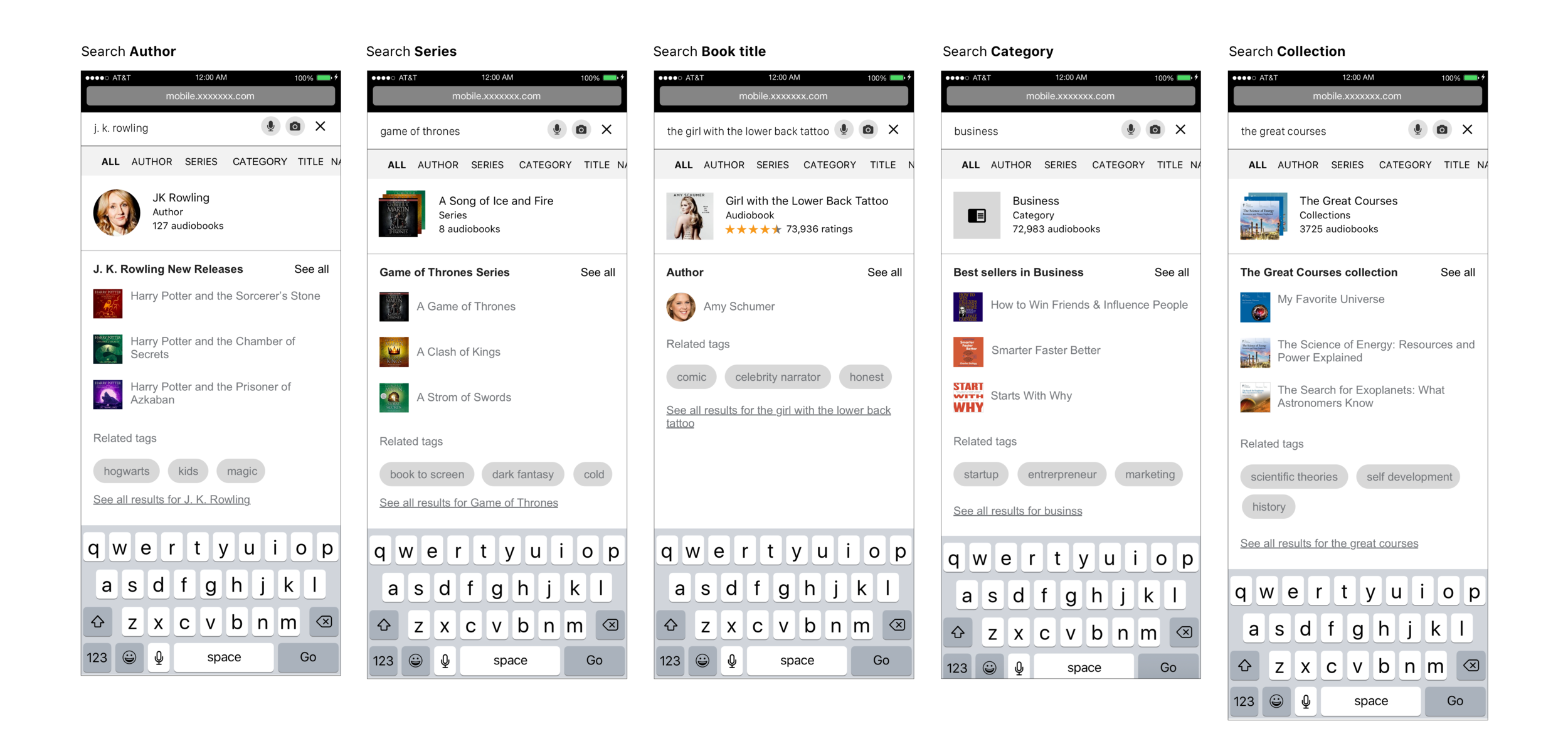
If a user is searching for an author / series / book title / category / collection...
For example, if user search for an author, below is what they can see in the search result. They can see All, author, series, categories, book titles relevant to the searched author name.
.webp)
If the user can't find what they want from the search result, I put in a module that will allow users to perform a natural language search, i.e. "I am looking for a book about mysteries and thrillers that are trending, narrated by multi-voices, to listen during my morning commute.
" Why?
Usage pattern that I observed from data and A/B testing insights shows that around 40% of usage of our product is during users’ commute and 48% while doing household chores. Depending on the time of the day, and activities that they are on while listening, they would consume different types of audiobooks, either search or listen. Therefore I designed this module, so user can go specific about what they are looking for and when do they want to listen to the book.
Search by image
With the launch of Amazon’s product image search feature, we have an opportunity to integrate the same technology, which can take us one step further in helping user quickly search for the audiobook version of the physical books they see.
Why
We heard from lots of our loyal customers say, when they see a physical book that interest them, the first thing they do is to go online and see if there is a audiobook version of it. By servicing image search, user can just open the Audible camera, and know if we have the book to offer.